Access to your Back Office here.
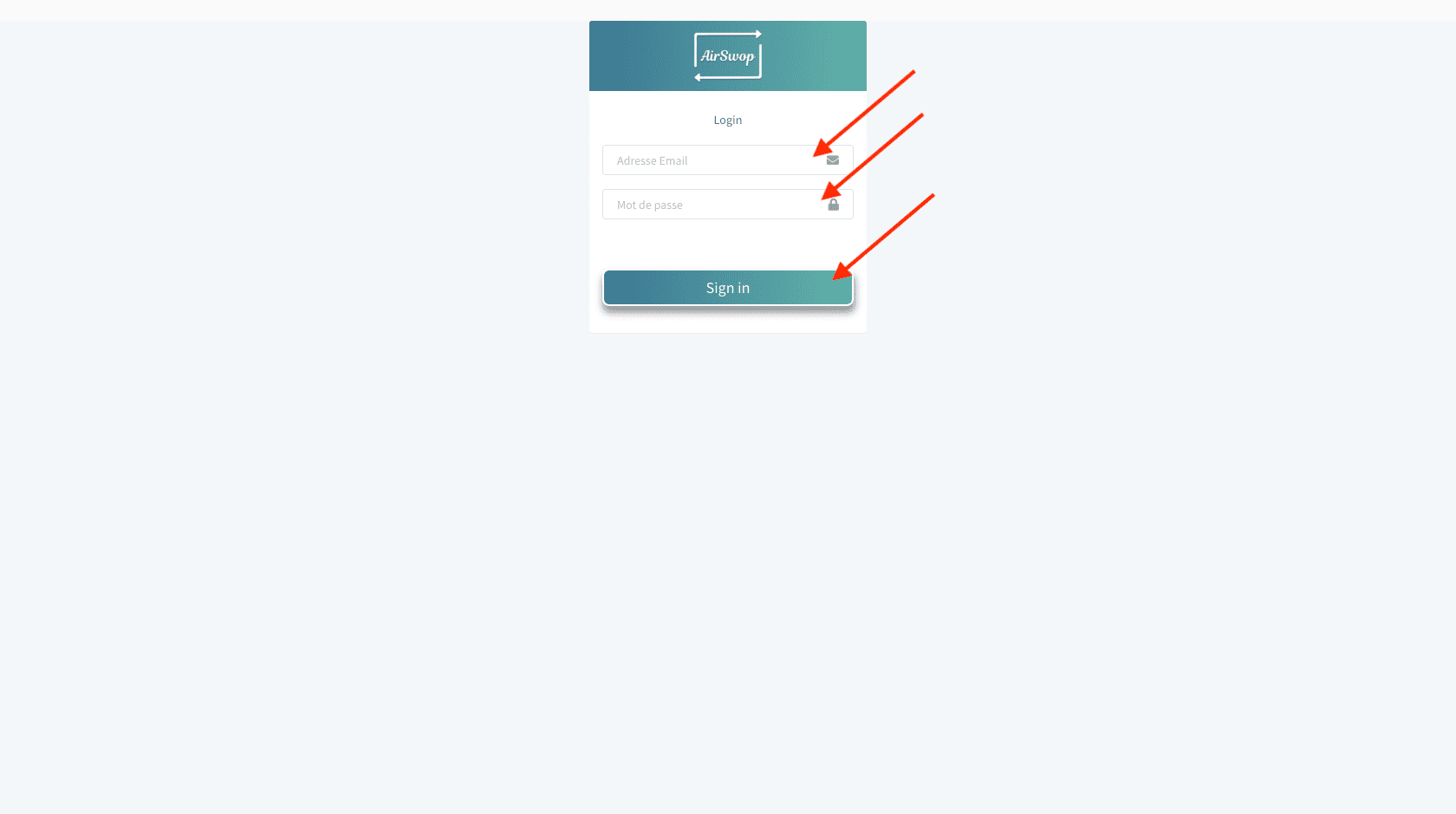
Fill in the same login and password you use to connect to the application and click on " Sign In ".
DashBoard.
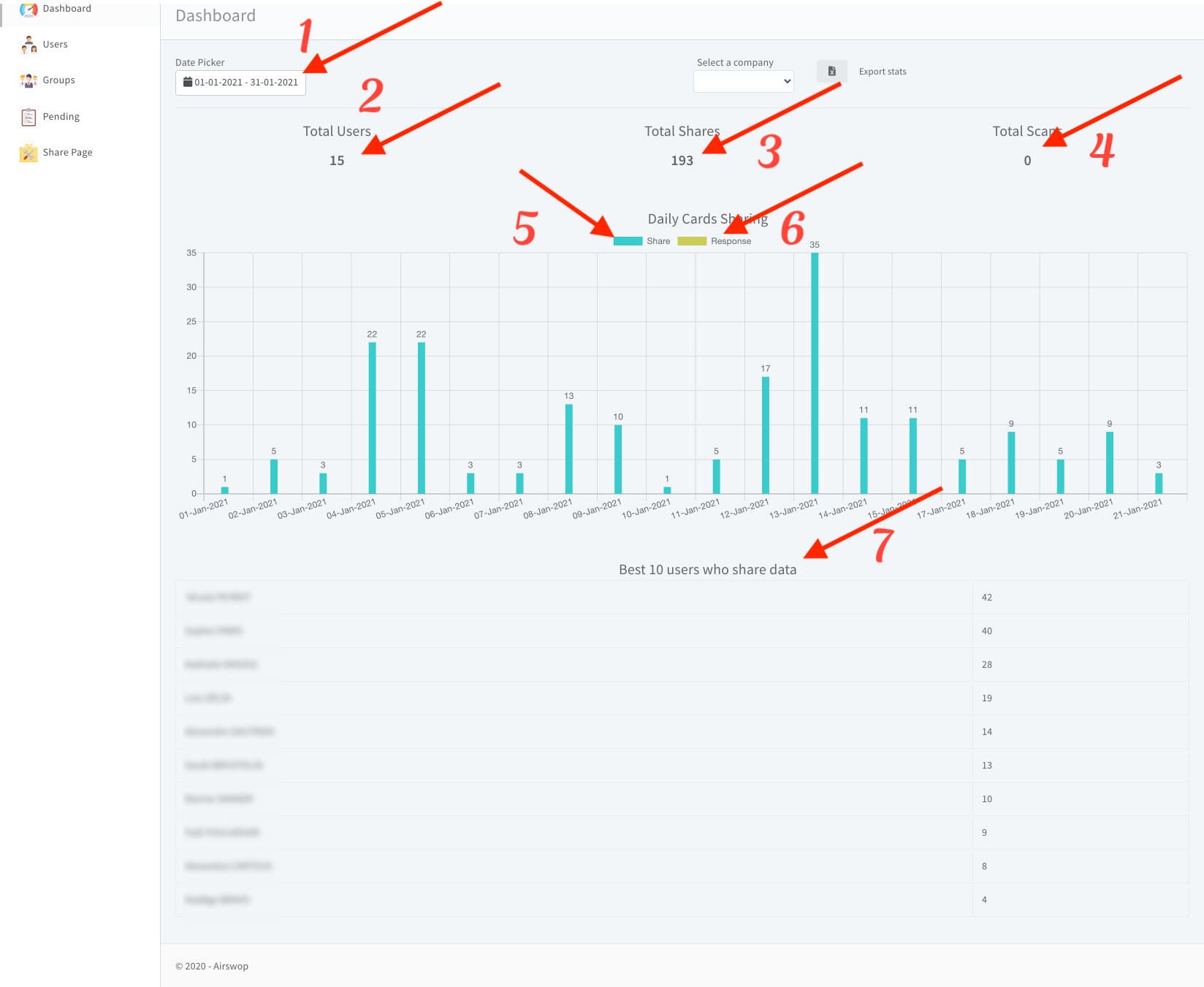
Here are the statistics of your employees.
👉 1 you choose the date of analysis.
👉 2 is the number of users within your entity.
👉 3 is the number of times your collaborators' cards have been read
👉 4 is the number of paper business cards scanned by your employees
👉 5 is the number of cards read per day
👉 6 is the number of contact details collected by your collaborators after sending their card.
👉 7 THE TOP 10 most read cards... How about a challenge?
Users
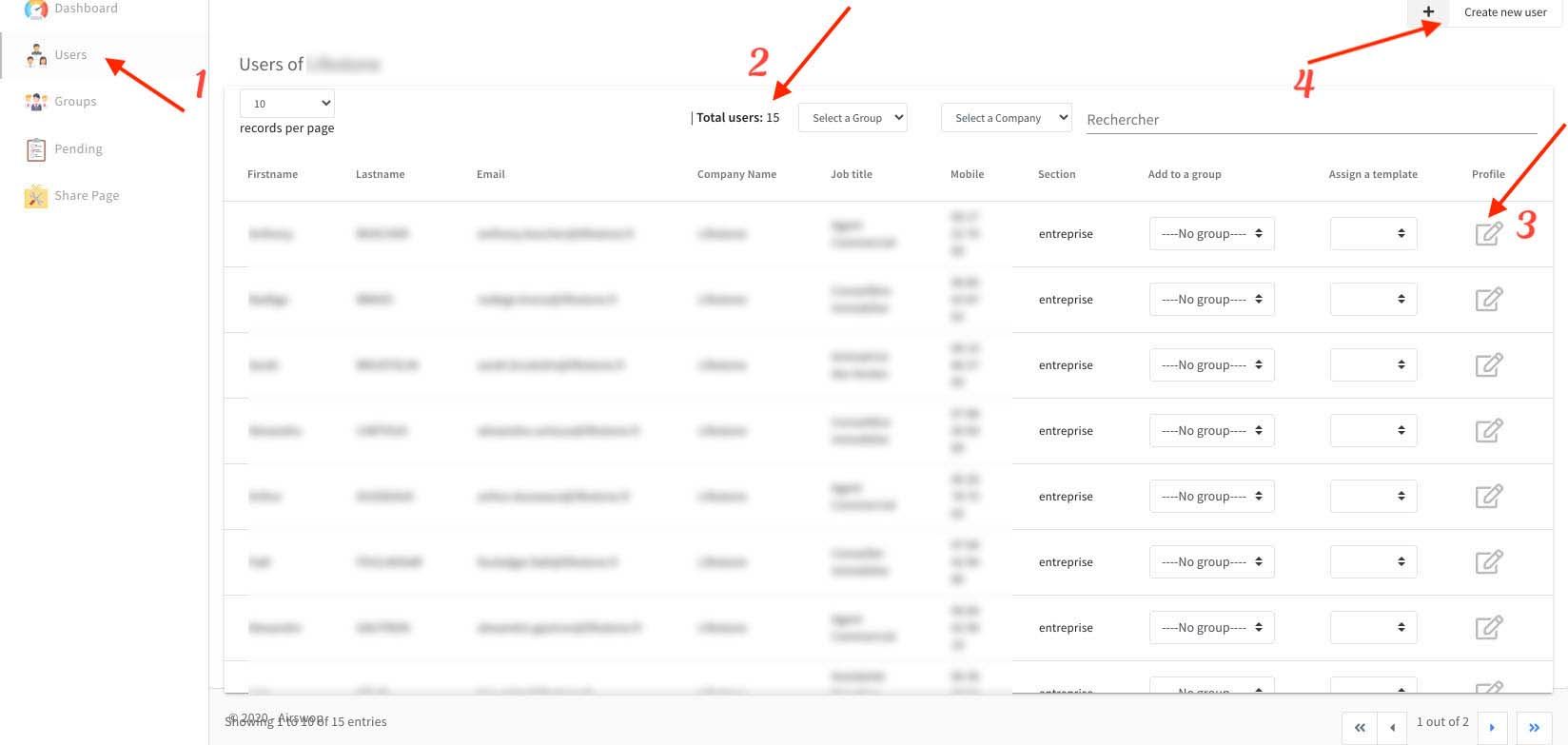
👉 By clicking on the "Users" tab 1 , you can access all the information of your employees.
👉 2 shows the total number of collaborators within your entity.
👉 3 gives access to edit your collaborators' information, you will be able to modify them and their AirSwop card will be updated immediately.
👉 4 gives access to the creation of a new user
Create a new user
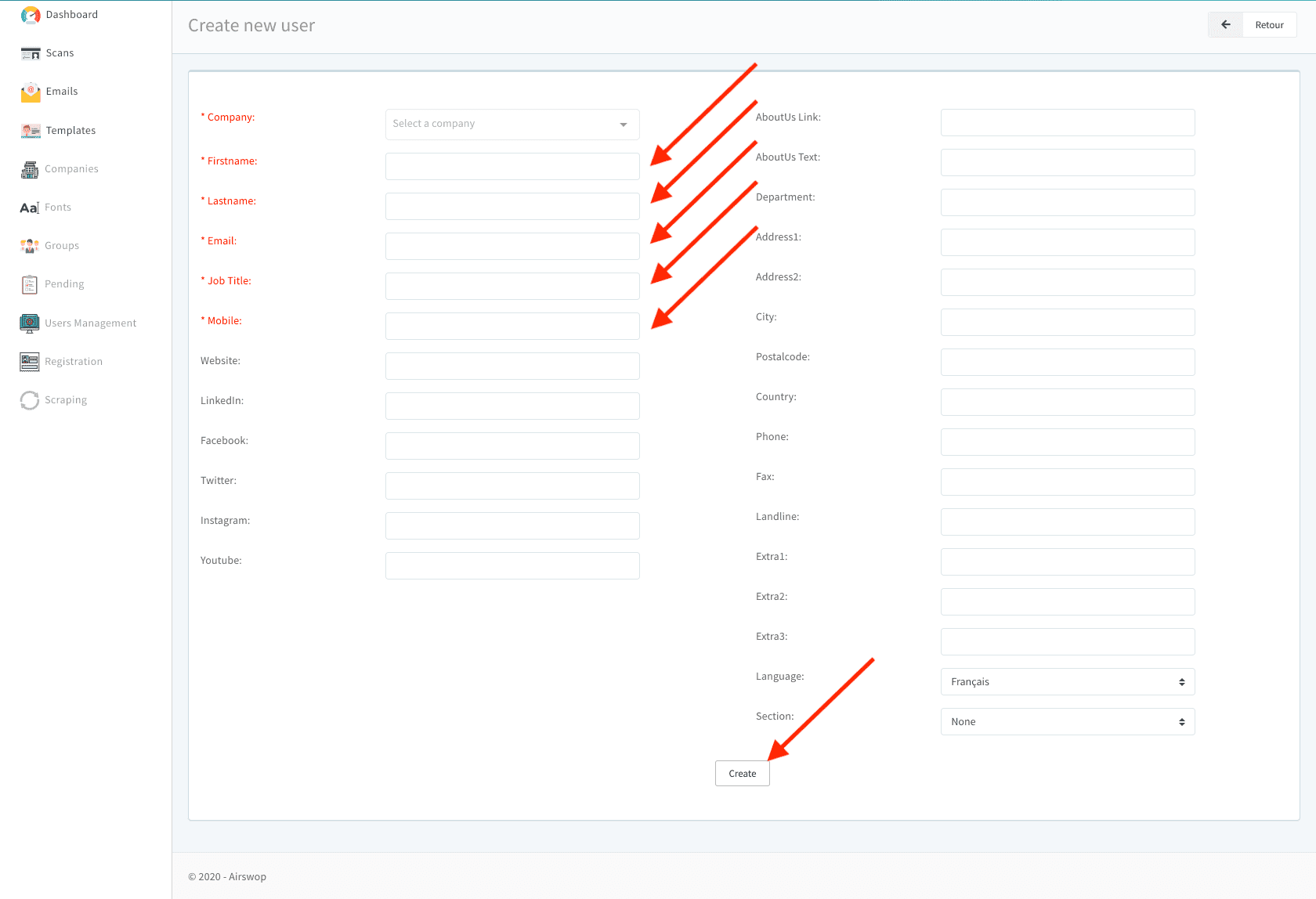
Fields marked with an asterisk are required.
Your social networks are already pre-registered if the request was made during your account creation.
**Click on "Create" and confirm your choice.
An email is automatically sent to your new collaborator, it includes his login and download links for the application.
Delete a user
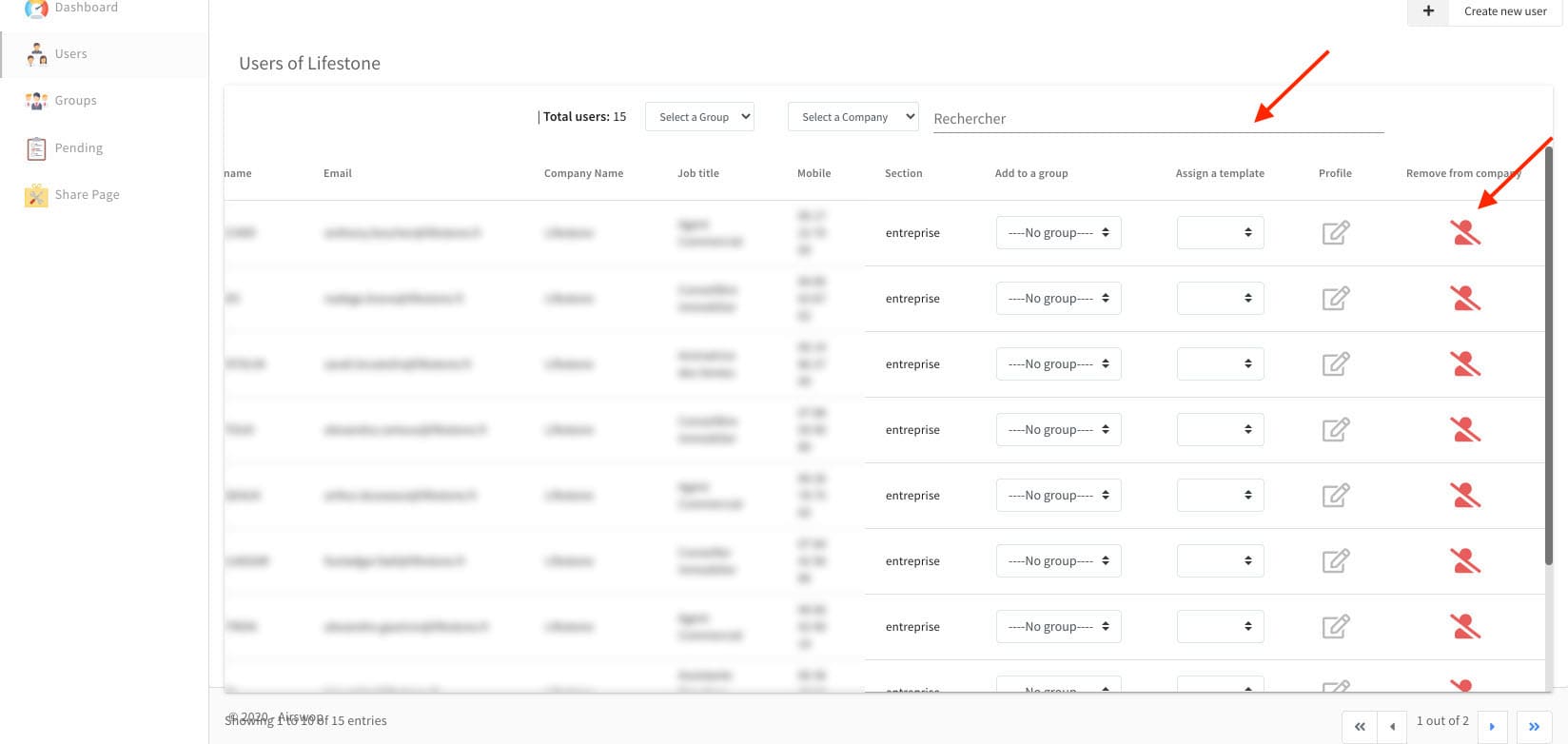
In the Users tab, you can use the search bar to quickly find the user.
Slide the screen to the right to access the button to delete a profile. Click on "Remove from Company" and confirm your choice.
Groups
Use "Groups" to create groups within your entity.
Pending (if option subscribed)
Check the information and validate the arrival of a collaborator.
Share Page
When you share your AirSwop Card, the recipient is invited to visit your "Web AirSwop" page. The page is created by the communications department. So if you make any changes to this section, please make sure you have the approval of the Communications or Marketing Department.
If you have any questions or need help, click here